
From an empty container to the first download
This guide is for a fresh start. If you already run Radarr, Sonarr or Lidarr, better begin with switching over: indexers, download clients, profiles and the whole library come along there, and much of this page takes care of itself.
1. TMDB token
Movies and shows come from TMDB, and without a token nexcrate cannot find a single title. The token is free.
- Get it from TMDBSign in at themoviedb.org, open API in the settings and copy the API Read Access Token. That is the long one that usually starts with
eyJ, not the short API key. - Enter it in nexcratePaste it under Settings › Online services and press Test and save.
TheXEM, MusicBrainz, AcoustID and the ratings are on the same page. They need no key and are on. If you want Rotten Tomatoes and Metacritic, enter an OMDb key of your own there.
2. Versions
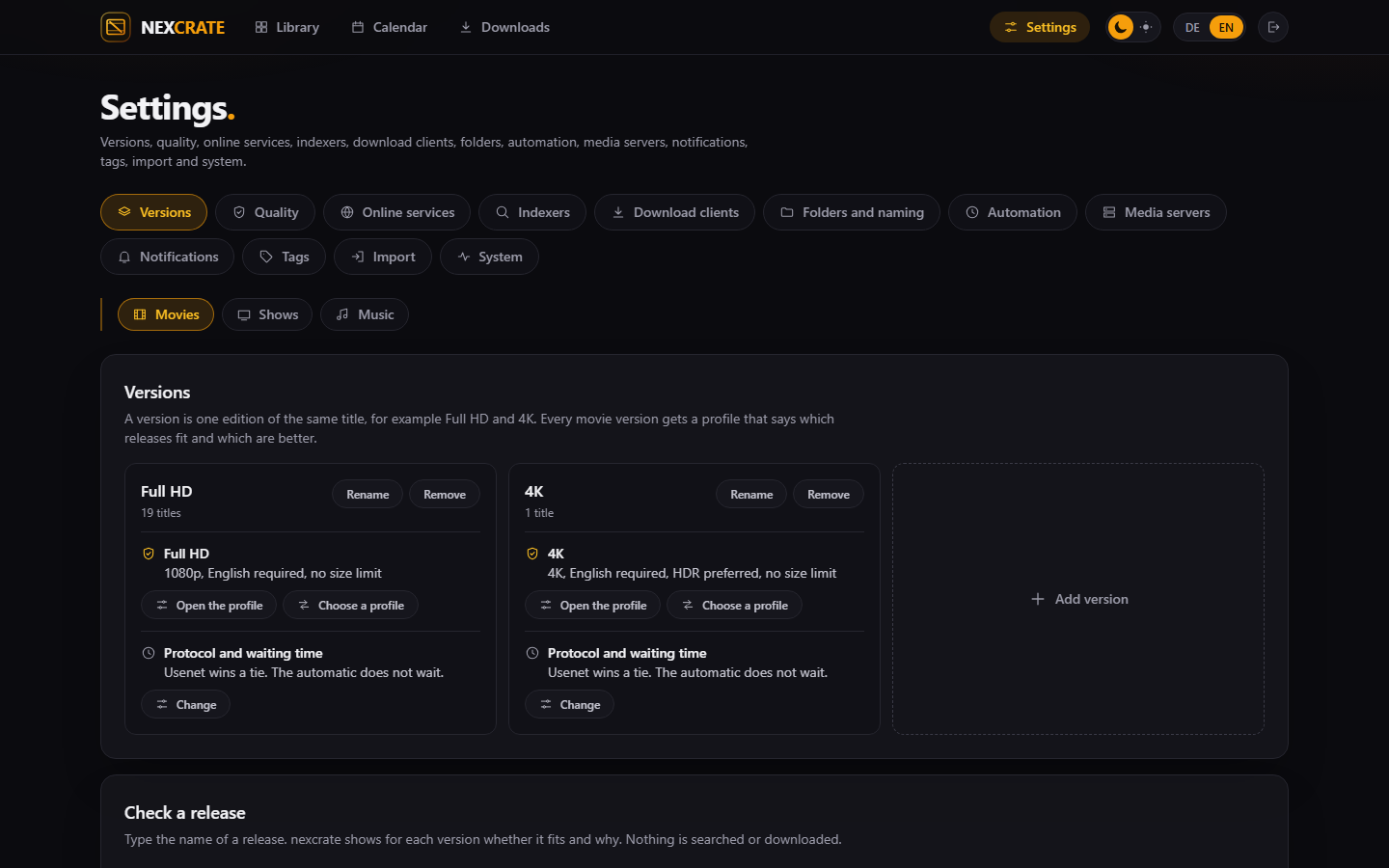
A version is one edition of the same title, for example Full HD and 4K. Without a version no movie can be added, because nexcrate has to know what to search for.
- Create oneUnder Settings › Versions pick Movies, Shows or Music at the top and press Add version. A name is all it needs at first.
- Start smallOne version per media type is enough to begin with. Add a second one, such as 4K, whenever you like and switch it on for single titles.
Music has exactly one version.
3. Profiles
The profile says which releases a version takes and which are better. Every version has Choose a profile; if there is none yet, the assistant asks.
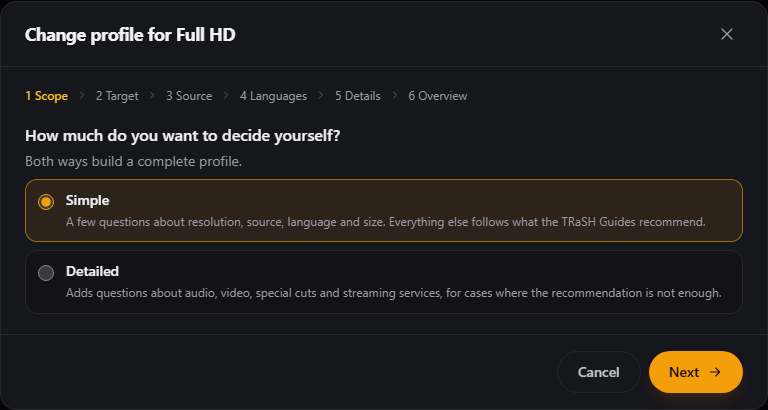
- Simple or detailedSimple asks about resolution, source, language and size; everything else follows what the TRaSH Guides recommend. Detailed adds questions about audio, video, special cuts and streaming services.
- AnswerWhich resolution, what counts while it does not exist yet, which source, which audio tracks. If several languages are required, it asks whether they have to be in the same release.
- SaveThe overview shows what comes out of it. Save profile builds all of it: qualities, custom formats, scores and sizes.
Later every profile can be adjusted by hand. What you save there counts until you save in the assistant again. Whether a release fits, you check without a search under Settings › Versions in Check a release: type the name, and each version says whether and why.
Under Protocol and waiting time on every version you set whether Usenet or torrent comes first and how long the automation waits for a better release. By default Usenet wins a tie, and nothing waits.
4. Folders
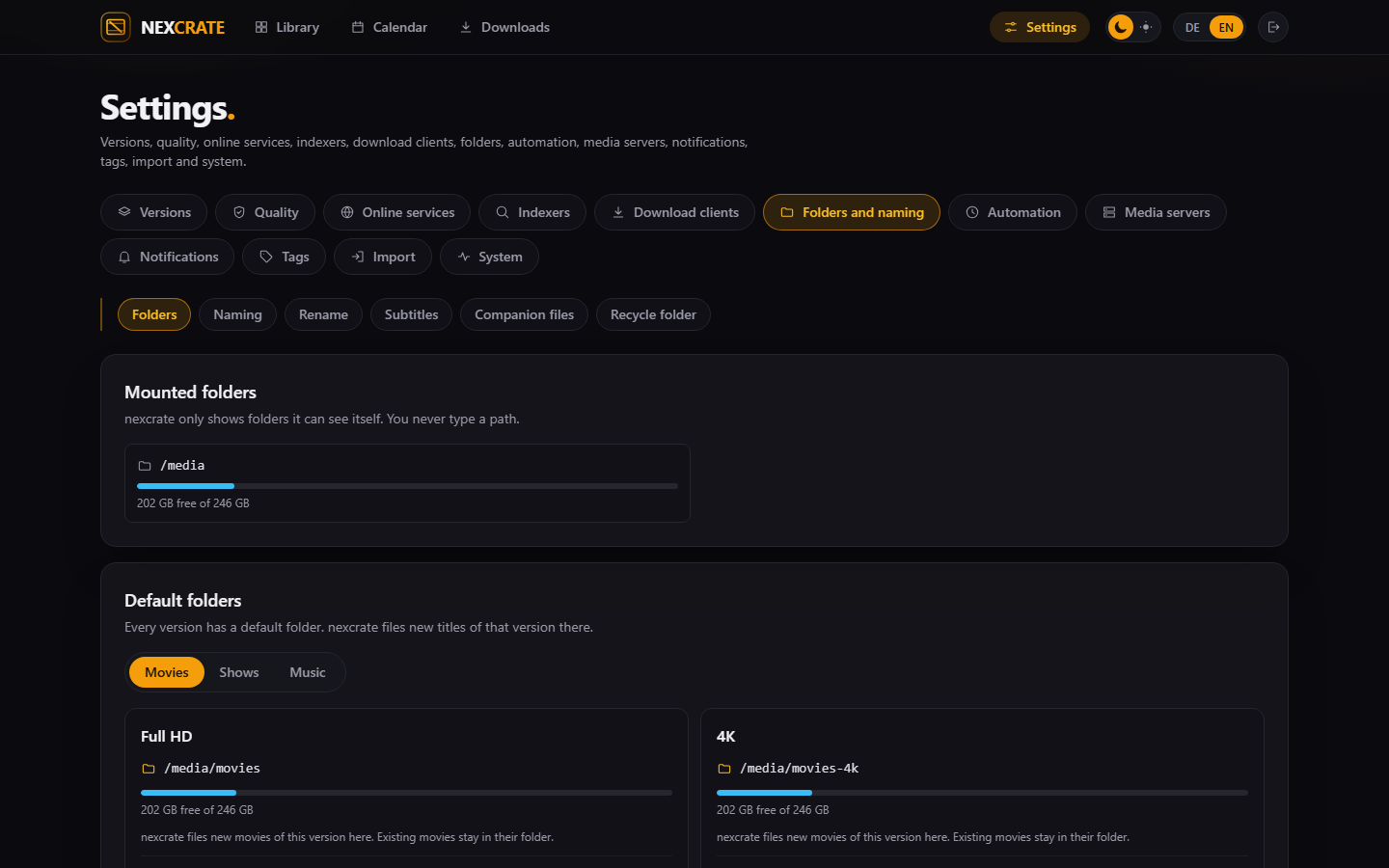
Every version has a default folder that new titles go into. Only folders the container sees can be chosen; if one is missing, the mount is missing in the compose file (Media and hardlinks).
- Set the default folderUnder Settings › Folders and naming › Folders choose a folder for each version, such as
/media/moviesand/media/movies-4k. - Look at the namingUnder Naming are the patterns for folders and files. The default is fine; if you come from Radarr or Sonarr you can take theirs over. A new pattern applies to new files. Existing ones are only renamed by Rename existing files, with a preview.
5. Indexers
nexcrate searches Newznab indexers for Usenet and Torznab sources for torrents. Torrent sites usually come through Prowlarr or Jackett, which offer a Torznab address per site.
- AddUnder Settings › Indexers press Add indexer, pick the kind, enter address and API key. nexcrate appends
/apiitself. - Check the categoriesOn saving nexcrate asks the indexer which categories it has and preselects the ones for movies, shows and music.
- Daily limitIf your indexer limits requests or downloads per day, enter it. nexcrate keeps to it and shows under Automation how much is used today.
6. Download clients
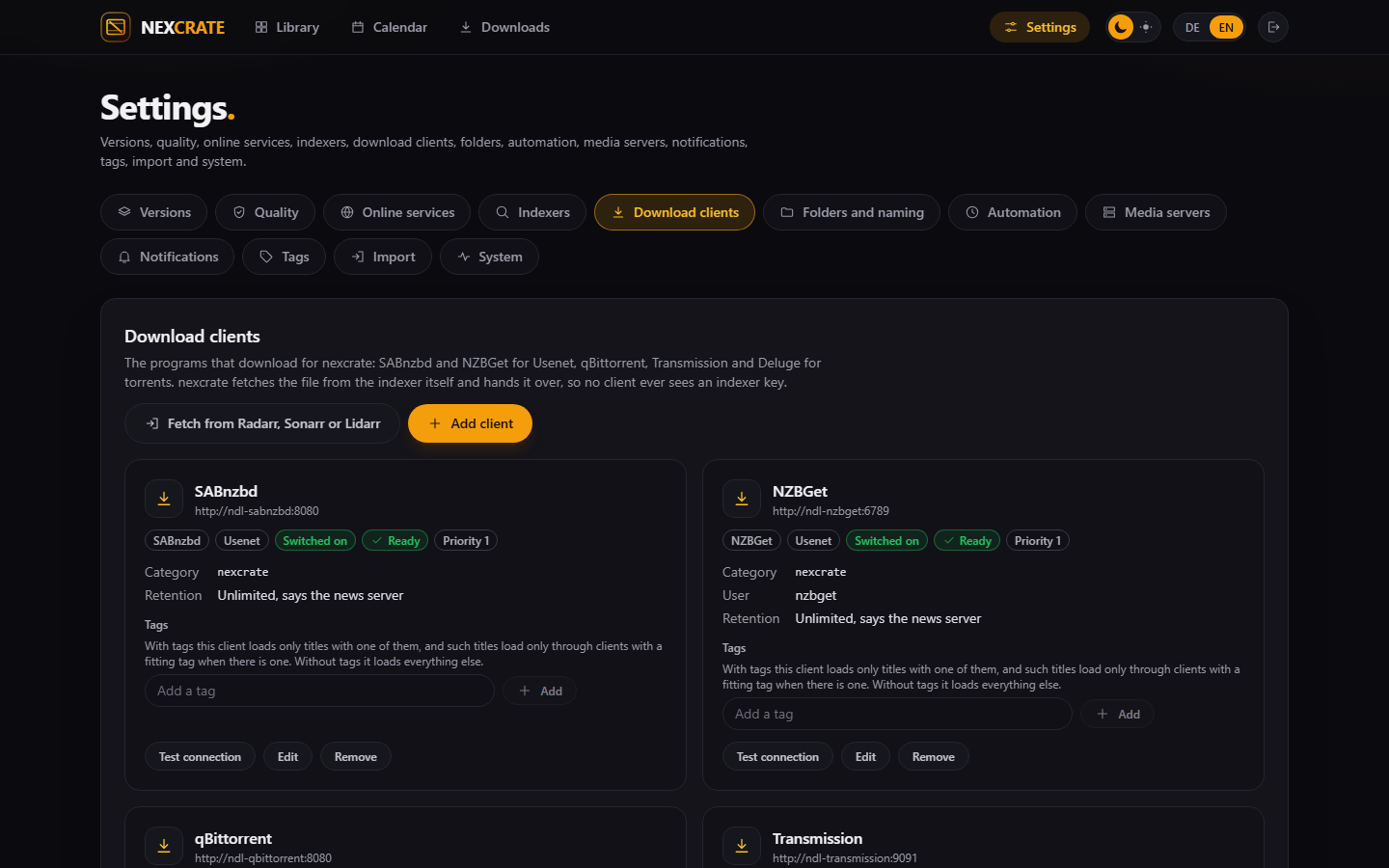
SABnzbd and NZBGet for Usenet, qBittorrent, Transmission and Deluge for torrents. Under Settings › Download clients press Add client, enter the address with its port and the credentials, and save. On saving nexcrate tests the connection and creates the category nexcrate where the client allows it.
What the clients need to know first
- SABnzbd only needs the API key from its settings.
- NZBGet needs the user and password from
ControlUsernameandControlPassword. - qBittorrent bans an address after five failed logins. That is why nexcrate only signs in again when you save or test. If it happened anyway, allow nexcrate's address in qBittorrent.
- Transmission only lets in addresses from its
rpc-whitelist. Add nexcrate's address there or switch the list off. - Deluge has no username, only the password of its web interface. nexcrate switches the Label plugin on itself.
If a client sees the downloads under another path than nexcrate, nexcrate asks once at the first finished download how the two paths belong together.
7. Media servers
Optional, but pleasant: after every filing your media server hears which folder changed, and the title is there right away.
- Plex: under Settings › Media servers press Sign in at plex.tv, confirm, pick your server. nexcrate fills in address and token itself. By hand works too, with the address and an
X-Plex-Token. - Jellyfin and Emby: the address and an API key you create in their administration.
If the media server sees the folders under other paths, nexcrate suggests the mapping. It only counts once you save it.
8. The first title
- AddIn the Library press Add a movie at the top, or Add a series for shows. Type the title, pick it, tick the versions.
- SearchThe title now shows as Wanted in the library. On its page, Search starts a search by hand: you see for each version what it would take and download with one click.
- WatchDownloads shows what is loading. When it is done, nexcrate puts the file into the version's folder, writes
release.nexnext to it and tells the media server.
If movies or shows already sit on disk without any Arr program knowing them: Read folders in the empty library reads them in and suggests a title for every folder, which you confirm.
9. Automation
Out of the box nexcrate searches nothing by itself. That is on purpose: you should see first what it would do.
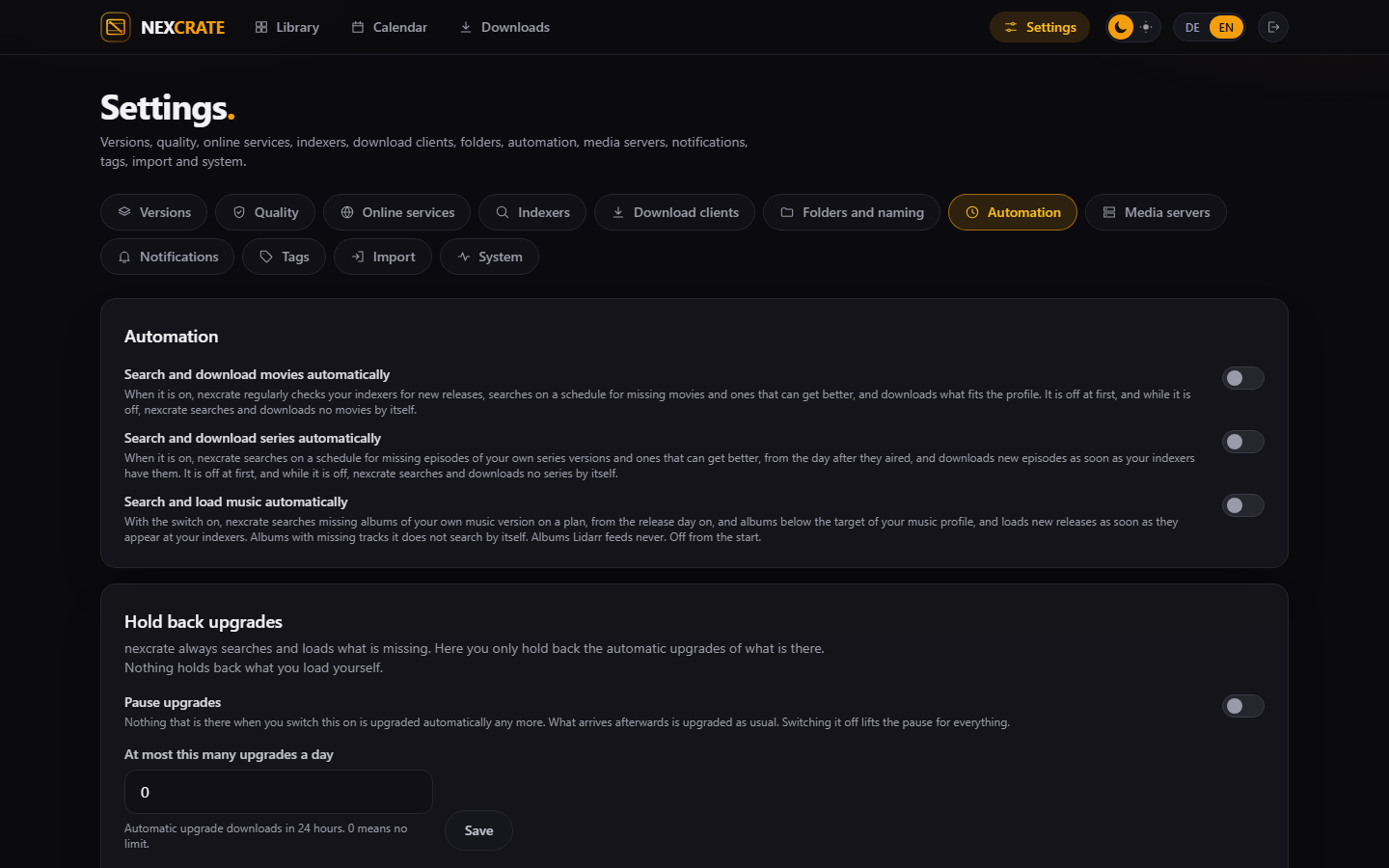
Under Settings › Automation there are three switches: Search and download movies automatically, the same for series and for music. Switched on, nexcrate searches on a schedule for what is missing and what can get better, and reads your indexers' RSS feeds for new releases. Episodes from the day after they aired.
Below, upgrades can be paused for everything that is there when you switch it on, or capped at a number per day. What is missing is searched either way.
Afterwards
- Backups: pick a schedule under Settings › System › Backups. By default weekly at night.
- Notifications: add a target under Settings › Notifications, such as ntfy or Telegram, and choose the events.
- Calendar: the iCal address from the calendar goes into your calendar app.
- Other programs: Nexview, nexbeat or nexdeck get a key of their own or pair. How that works is on the API page.