
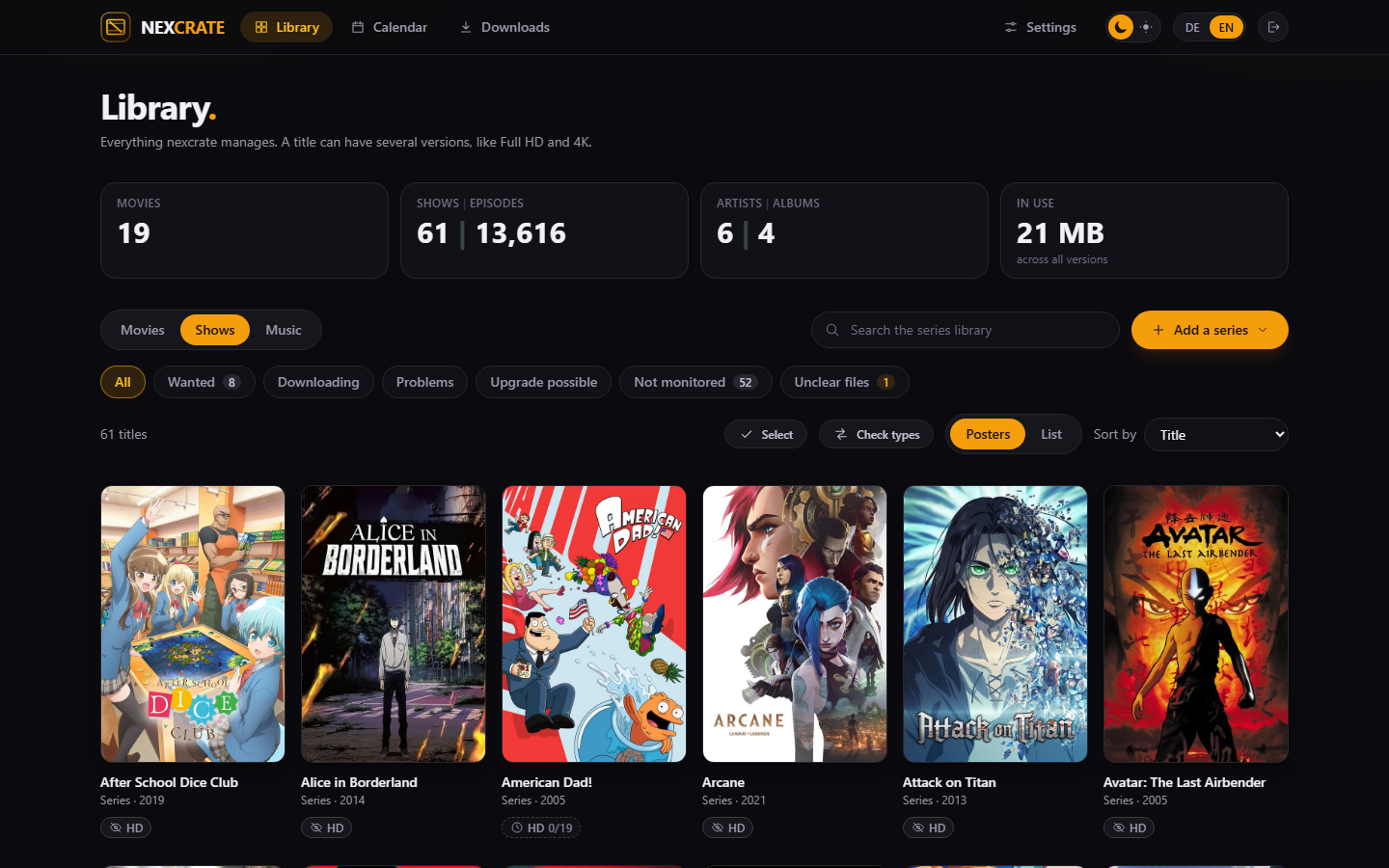
Several versions on one title
A version is one edition of the same title, for example Full HD and 4K. You create each version once per media type, and every movie and every show can have any of them or not.
Every version has its own profile, its own folder, its own naming and its own waiting time. A search decides for each version on its own, and the library shows on every poster which version is there, which is missing and which can get better.
When you switch over, every Radarr or Sonarr instance becomes a version. If you ran Radarr and Radarr 4K until now, you then have one movie with two versions.
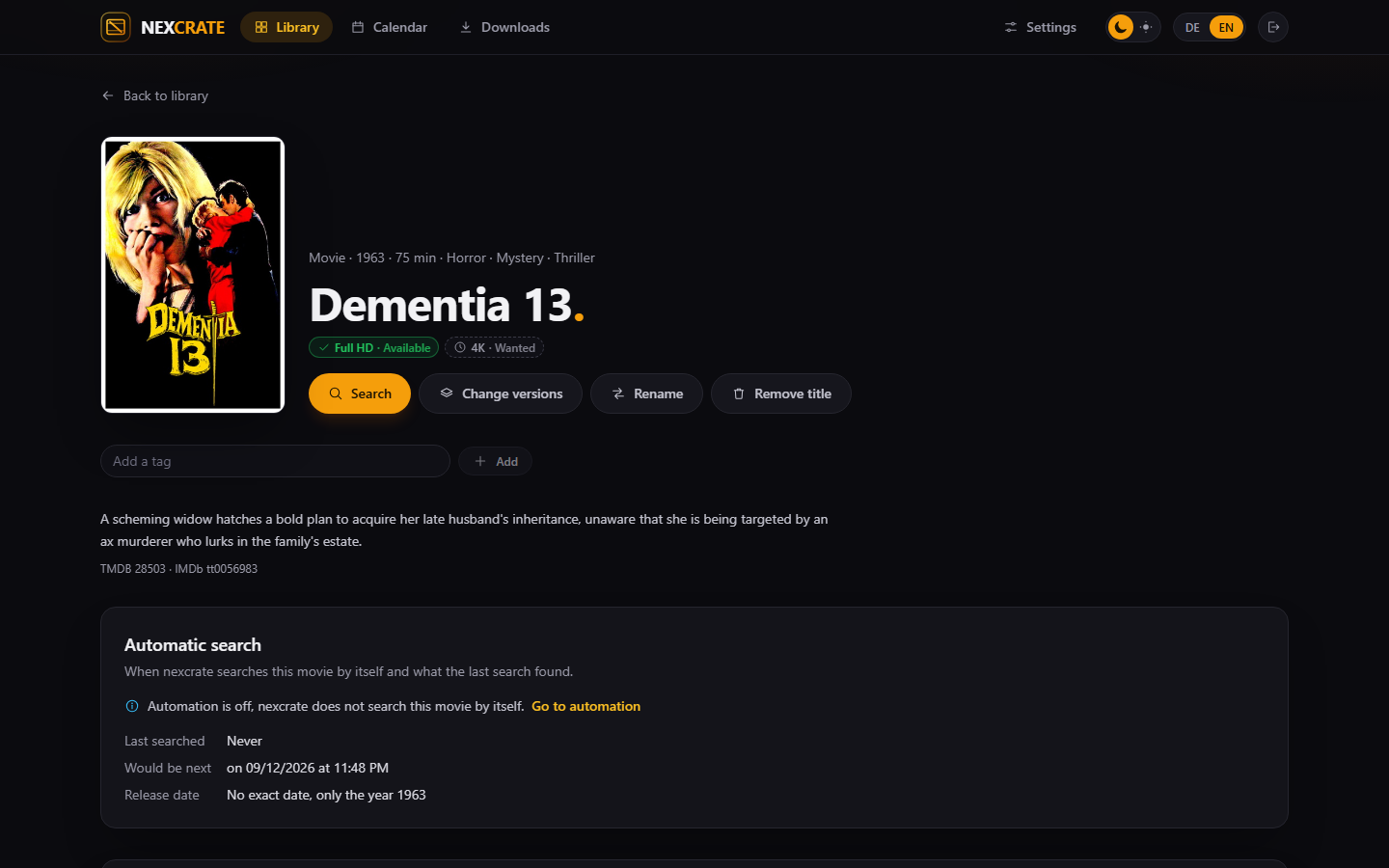
Profiles from questions, with the rules of the TRaSH Guides
An assistant asks what you want: which resolution, what counts while it does not exist yet, which source, which audio tracks, whether HDR is preferred and how large a file may be. From the answers nexcrate builds the whole profile, with qualities, custom formats, scores and sizes, the way the TRaSH Guides recommend them.
If that is not enough, switch to "Detailed" for questions about audio, video, special cuts and streaming services. And if you want to set every number yourself, set the profile by hand: the order of qualities, good enough from, minimum score, upgrade until.
A profile can be read from a running Radarr or Sonarr, custom formats and sizes included. And next to the versions there is a check: type a release name, and nexcrate tells you for each version whether it fits and why.
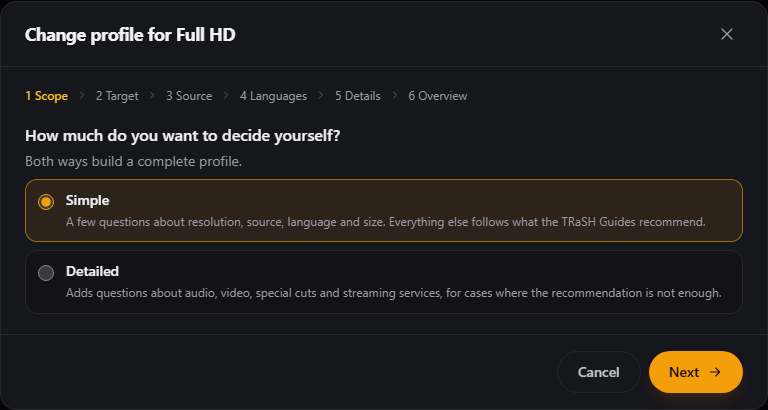
Seasons, episodes, and what anime does differently
Shows come from TMDB, like movies. Per version you say what it monitors: everything, single seasons, only future episodes. Specials are switched on one by one, not as a bundle.
The scene numbers some shows differently from TMDB. nexcrate takes the mapping from TheXEM and so also finds releases named after the scene's numbering. Anime is searched with its episodes counted through, the way the scene names it, and can get rules of its own in the profile, after TRaSH's anime profile.
Double episodes in one file are recognised as two episodes. If part two is missing, the automation searches the season pack. A file that does not clearly match one episode stays where it is and waits for you instead of being guessed.
Artists, albums, and which file is which track
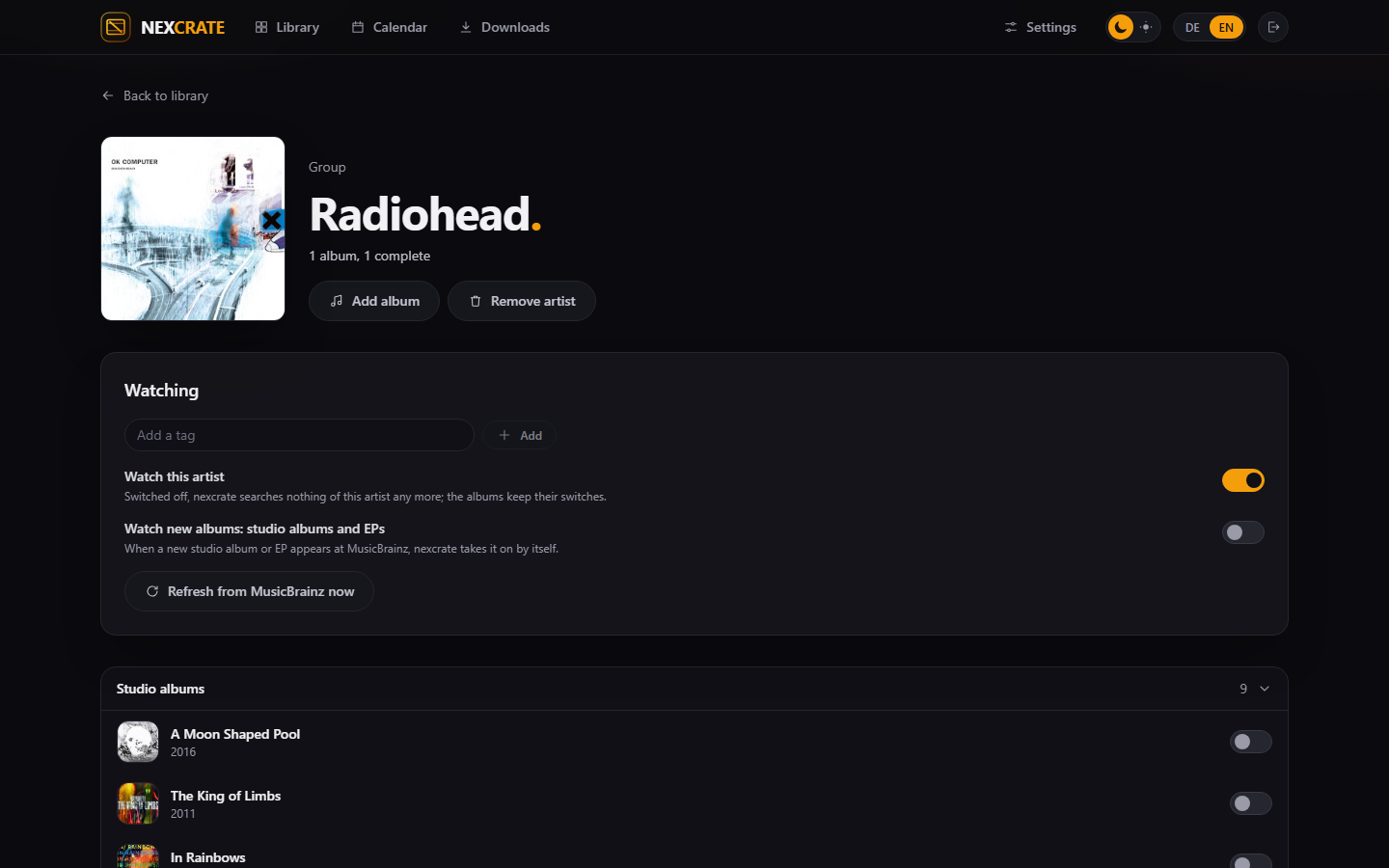
Artists and albums come from MusicBrainz, covers from the Cover Art Archive. For every album nexcrate looks for the release that fits best to what is there, and matches every file to a track: by tags, by names, and if neither is any good, by a fingerprint at AcoustID.
When it files an album away, nexcrate writes the tags itself. An artist can be monitored as a whole or only with single albums; requesting a whole artist gets you their studio albums.
Music has one version with one profile so far. Its assistant asks for the quality, whether 24 bit is wanted and which source.
Search, decide, and say why
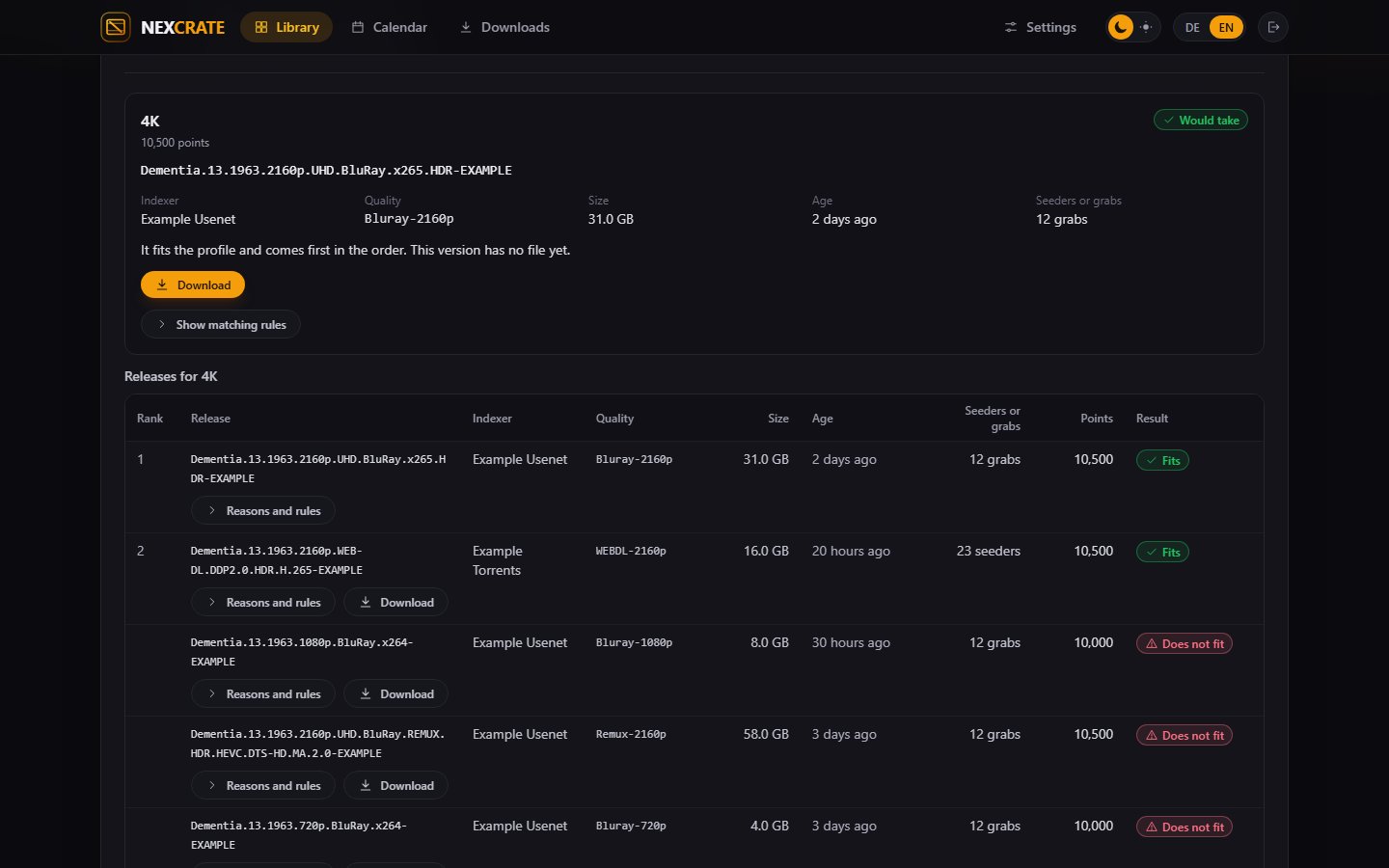
Searches go to Newznab and Torznab indexers: Usenet indexers directly, torrent sites through Prowlarr or Jackett. Every release found gets its score and its verdict per version, with the reason next to it: which rule matched, why it does not fit, why another one comes first.
The automation is off at first, separately for movies, shows and music. Switched on, it searches on a schedule for what is missing or can get better, and reads the indexers' RSS feeds for new releases. Every version has a waiting time with a preferred protocol, every indexer a daily limit, and upgrades can be paused or capped at a number per day.
Download clients, and what happens afterwards
SABnzbd and NZBGet for Usenet, qBittorrent, Transmission and Deluge for torrents.
A category of its own
nexcrate's downloads run under the category nexcrate. A Radarr that is still running does not grab them, and nexcrate creates the category itself where the client allows it.
Hardlinks, not copies
A finished torrent is hardlinked and keeps seeding without taking its space twice. Usenet downloads are moved. With downloads and media in one mount, neither needs a copy.
Indexer keys stay inside
nexcrate fetches the NZB or torrent file itself and hands the file over. No download client ever sees an indexer key.
Retention read
How long your news servers keep posts, nexcrate reads from SABnzbd and NZBGet. A release older than that is not even tried. There is nothing to enter.
Failures are replaced
If a download fails, the release goes on the blocklist and the search takes the next one. What is stuck, nexcrate shows with the reason and the steps that help.
Recycle bin
A replaced or deleted file waits seven days in the folder .nexcrate-recycle next to the media and can be taken back.
Folders, names, and what happens when the database is gone
- Folders to pick from. nexcrate only shows folders it can see itself. Nobody types a path.
- Renaming with a preview. Whole libraries to a new pattern, with a preview first and an undo afterwards. The patterns know the tokens of Radarr and Sonarr and can be taken over from there.
- Library rules. On request, a rule picks the folder by genre, certification, tag or kind of series. One button moves existing titles by the rule, with a preview.
- Tags on titles, by hand or by rule, and rules that depend on tags.
release.nex
Next to every title nexcrate owns sits a small file: for shows in every season folder, for albums in the album folder. It holds the TMDB, IMDb or MusicBrainz number and, per version, the file, its quality and its release.
Should the database ever be lost, nexcrate reads the library back from these files without guessing. Plex, Jellyfin and Emby ignore the file.
What else belongs to it
Calendar
Cinema, digital and disc dates, new episodes and albums. With an iCal address and a key of its own that any calendar app subscribes to.
Notifications
ntfy, Gotify, Telegram, Discord, webhook, Apprise and e-mail. Every event on or off per target, with its own priority.
Plex, Jellyfin, Emby
After every filing your media server hears which folder changed, instead of waiting for its next scan. Plex through a sign-in at plex.tv.
Ratings
IMDb ratings from IMDb's daily file, without a key. Rotten Tomatoes and Metacritic with an OMDb key of your own.
Backups
On a schedule, before every change to the structure of the database, and when you ask. As an encrypted ZIP to download and restore, even right at the first start.
Log
Four modes; the deep ones switch back by themselves after a time you choose. Every answer carries a request ID, and secrets are masked before a line is written.
English and German
The interface speaks both languages, switched at the top right. Light and dark, too.
API
A fixed contract for other programs under /api/v1, with a key per program, events and webhooks. To the API.